Certifications & Reports
HOD Certifications and Consolidated Compliance Reporting
Create structured compliance reports and certifications from a single source. Certifications & Reports streamlines compliance data across entities, time periods and compliance categories, and provides consolidation of compliance information and generation of reports. Enhance compliance transparency, reporting accuracy and management supervision.
What is Certifications & Reports
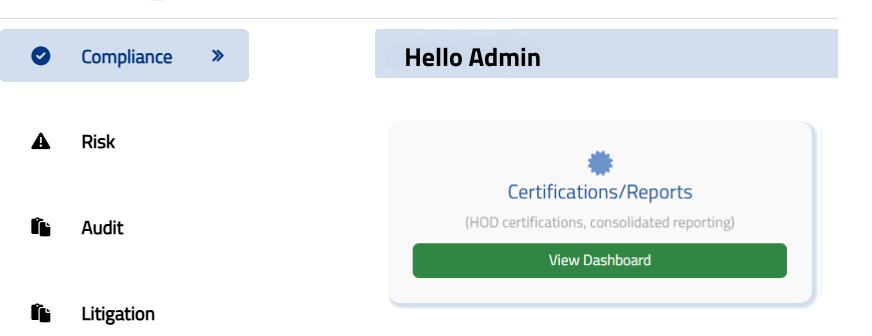
Certifications & Reports is a submodule that enables organizations to create, maintain and review compliance information from a centralized location.
This module is a combination of two functions: Reports and Certifications. The Reports section allows the user to create compliance reports on any entity, reporting year, reporting period, department, compliance category, regulator, status and other available filters. The Certifications section allows to create and access certificates for an entity and a reporting period.
Centralizing reporting and certification on a single platform makes it easier for organizations to manage and centralize compliance information, generating management-ready records.
Compliance Reports in One Centralized Platform
Compliance teams often must gather information from various departments, locations, branches, compliance categories, regulators and reporting periods. This information can be hard to report and standardize manually.
Reports offers several filtering options that can be used to create reports as per user's requirement.
Users can choose between the relevant entity, reporting year, reporting period, the department, sub department, location/city, branch/center, compliance classification, compliance category, task category, task sub category, status, tags, regulator and regulation to view the required report.
This facilitates a more formalized manner of consolidated reporting for compliance and enables teams to get the information they need without having to manually work it from many sources.
- Entity
- Reporting year
- Reporting period
- Department
- Sub department
- Location/city
- Branch/center
- Compliance classification
- Compliance category
- Task category
- Task sub category
- Status
- Tags
- Regulator
- Regulation

Key Features of Compliance Reports
Consolidated Compliance Reporting
Create consolidated reports that provide a single place for reviewing and monitoring relevant compliance data.
Flexible Reporting Filters
Multiple filters such as entity, reporting year, reporting period, department, location, branch, compliance category, regulator, and status can be applied to report.
Entity-Based Reporting
Choose a particular entity to create reports applicable to its compliance efforts.
Period-Based Reporting
Create reports for a chosen reporting year or reporting period. Where relevant, users can use date-based filters.
Compliance Classification & Category
Report filter by compliance classification, compliance category, task category and task sub-category.
Regulator-Based Reporting
Identify appropriate compliance information for reporting and review using regulators and regulatory related filters.
Status-Based Reporting
Filter information by the status of compliance activities to help users focus on completed or other relevant compliance information.
PDF & Excel/CSV Downloads
The reporting interface offers the ability to share, review and work with compliance information more easily, as it can be downloaded as PDF and Excel/CSV files.
HOD Certifications
Certifications functionality helps to generate and manage HOD level certifications in the compliance workflow.
Users can create a new certificate by choosing the appropriate entity, reporting year, reporting period, certificate name/title, designation, certificate date and location.
This provides a complete record of certification which can be accessed and kept in the platform.
The module also lets users check the previously issued certificates, which means that they can get to the old certificates as needed.

How Certifications Work
Select the Entity
Select the appropriate organization/entity for which the certification should be created.
Select Reporting Period
For the applicable reporting year and period, indicate the reporting year and the reporting period.
Select Certificate
Select the appropriate certificate title or name. Users can also add a new certificate name/title as needed.
Enter Certification Details
Fill in the relevant information including designation, date of certificate and location.
Generate & Review
This certificate can be displayed to the selected entity and reporting information prior to submission.
Access Past Certificates
You can view certificates generated in the past with the View Past Certificate option.
Why Consolidated Compliance Reporting Matters
Compliance information may be distributed across multiple departments, business units, locations, regulators and reporting periods. Teams can dedicate a lot of time gathering, compiling and checking information before they can compile management reports if they don't have a centralized reporting system.
A consolidated reporting approach allows teams to get a unified view of the relevant compliance information according to specific reporting parameters.
Certifications & Reports helps organizations:
- Consolidate compliance information
- Improve reporting visibility
- Simplify periodic compliance reviews
- Generate structured reports
- Track certification records
- Access historical certificates
- Filter information based on business requirements
- Export reports for further analysis or sharing
Benefits of Certifications & Reports
Better Compliance Visibility
Obtain a single, coherent set of compliance data for parameters of user-selected reporting.
Simplified Reporting
Minimize the process of gathering compliance data from various sources by hand.
Structured HOD Certification
Define and maintain a set of workflows for HOD certification records in a digital format.
Faster Information Access
Leverage filters to find pertinent compliance data by entity, period, regulator, department, status and more.
Improved Management Review
Create reports that present information in a structured manner to support compliance monitoring and review by management.
Historical Record Access
Display previously created certificates for historical certification data.
Easy Data Export
Reports can be downloaded as PDF or Excel/CSV for sharing, analysis or record-keeping.
Who Can Use Certifications & Reports?
The module can support teams involved in compliance monitoring, governance, reporting, and management oversight, including:
It can be especially useful for organizations that need to consolidate compliance information across multiple entities, departments, branches, regulators, and reporting periods.
Certifications & Reports for Smarter Compliance Management
Compliance management is not just about doing compliance activities; it's also about being able to see the status and reporting needs of compliance activities.
Certifications & Reports enables to create consolidated compliance reports and manage HOD certifications from a single platform.
The module features reporting filters, downloadable reports, certificate generation and access to past certificates, which provide organisations with greater structure and visibility to the compliance reporting process.
Access to compliance information by entity, by reporting period, by regulator, by department, by status, just by pressing a button - Certifications & Reports makes compliance information easy to access and transform into structured information that's easier to oversee and better to use for decision making.
Frequently Asked Questions
Yes, users can generate compliance reports based on selected entities, periods, departments, categories, regulators, and other available parameters.
Yes, users can generate certificates by selecting the relevant entity, reporting period, certificate title, designation, date, and place.
Yes, users can access previously generated certificates through the past certificate option.
Yes, reports can be downloaded in PDF and Excel/CSV formats.
Yes, users can filter reports using parameters such as entity, reporting period, department, compliance category, regulator, status, and other available fields.
